Case study · Automotive retail
Finding the right part, for the right car.
A catalogue of 4,866 listed car parts, organised around the vehicle in front of you, with quotes that end in a conversation on WhatsApp.
HC Auto Parts is a family-owned business with which the founder has a direct relationship. This project provided an opportunity to work closely with a real automotive retail business, understand its operational needs and build a practical digital experience around them.
Visit hcautoparts.pk (opens in a new tab)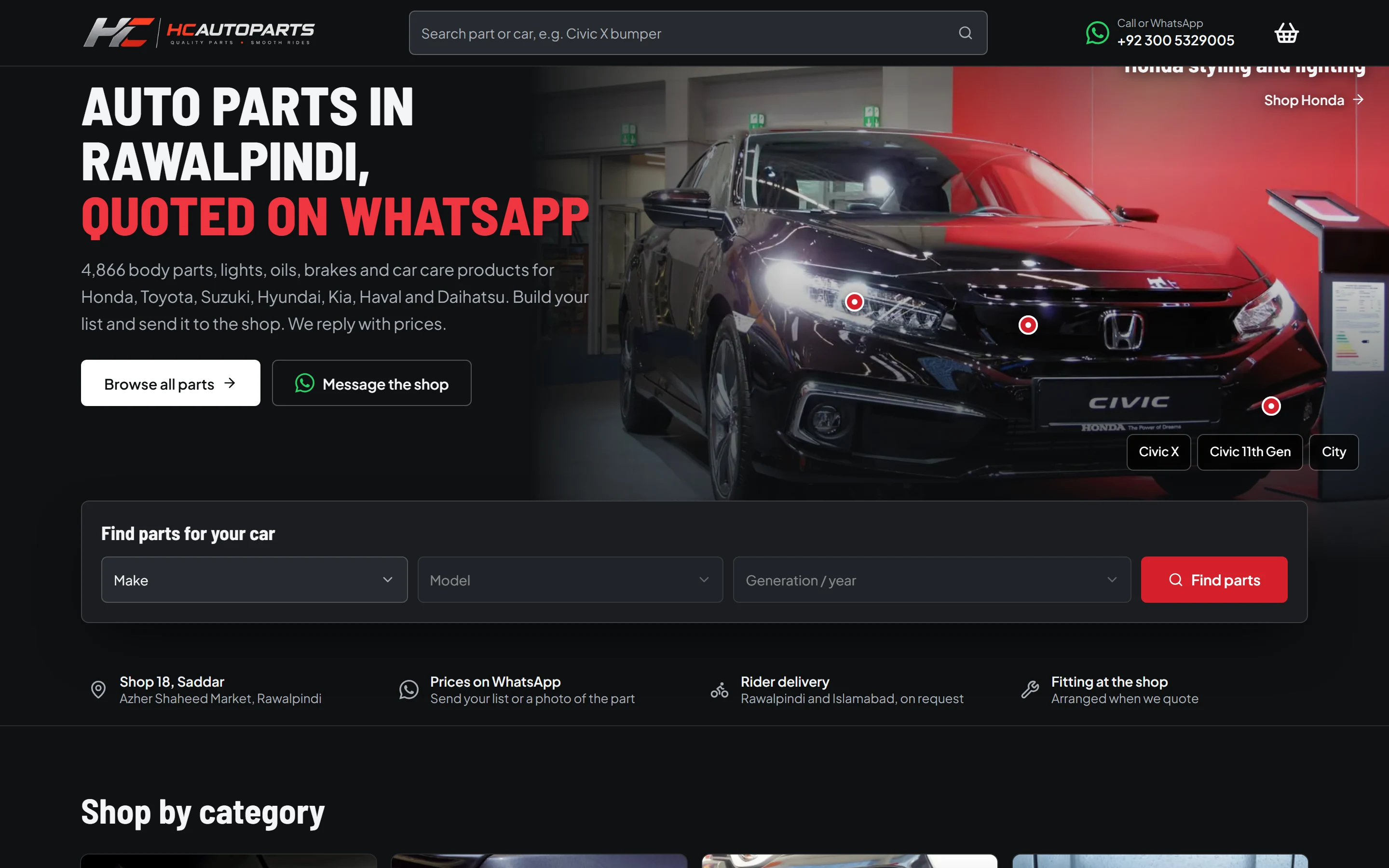
01
Project overview
- HC Auto Parts
- Automotive retail
- Website design and engineering
- Family-owned business
HC Auto Parts is a retail parts shop in Saddar, Rawalpindi. We designed and built its website: a storefront for browsing the catalogue and asking for prices.
02
Business context
Car parts are a difficult thing to sell online. The same part name can mean different things across a car's generations, and a customer may know their car well but not the name of the part they need.
Pricing is the other constraint. Prices at the shop follow the market, so a fixed price on a web page can be out of date by the time someone reads it. So the website treats a price as a conversation with the shop, and WhatsApp is where that conversation happens.
03
Problem and objectives
Find the part
Let people start from their car and arrive at parts that are listed for it, on any device.
Ask for a price
Replace a fixed checkout with a quote request that carries everything the shop needs to answer.
Stay honest
Show no invented prices or availability. If something isn't known, the page says what to do next.
04
Design direction
The direction is a parts counter, not a fashion store: dense, dark and direct. A long catalogue needs to be scanned quickly, so the design favours visible information over decoration.
The homepage leads with a photographed car and hotspots on it, so visitors can go straight to the part of the car they're thinking about. The make, model and generation picker sits in view, without needing to scroll, on common laptop sizes.

05
Interface and visual system
Graphite surfaces with a single red for primary actions. Green appears only on WhatsApp, so it always means the same thing.
Headings use Barlow Semi Condensed, which fits long part names into narrow columns. Body text uses Plus Jakarta Sans. Buttons follow one system, and product photos sit on white tiles so that images from different sources still read as a set.
06
Product discovery
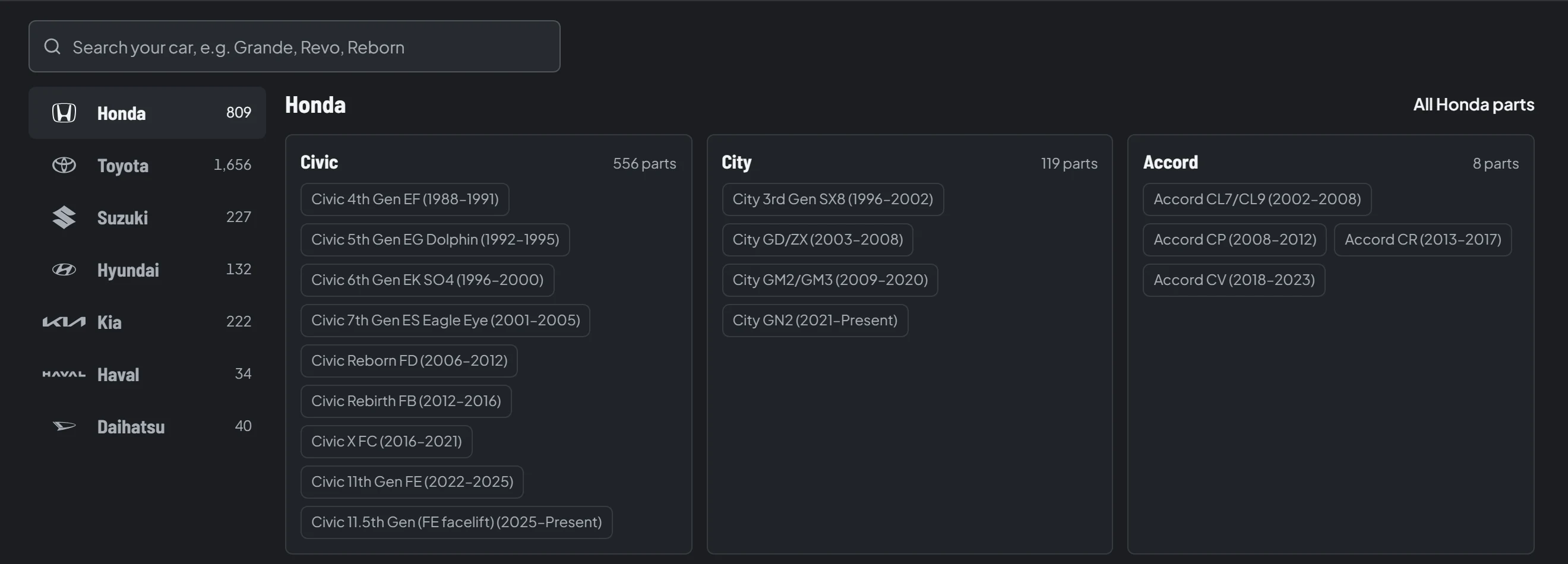
The catalogue is organised around how people describe their car. A Civic isn't one car: the vehicle menu separates it into dated generations, each listed with the years it applies to.
Search covers the rest. It suggests results while you type, finds parts under older spellings such as “grill”, and offers a correction when a word is misspelled. A search with no results offers WhatsApp and a part request instead of a dead end.
- 1
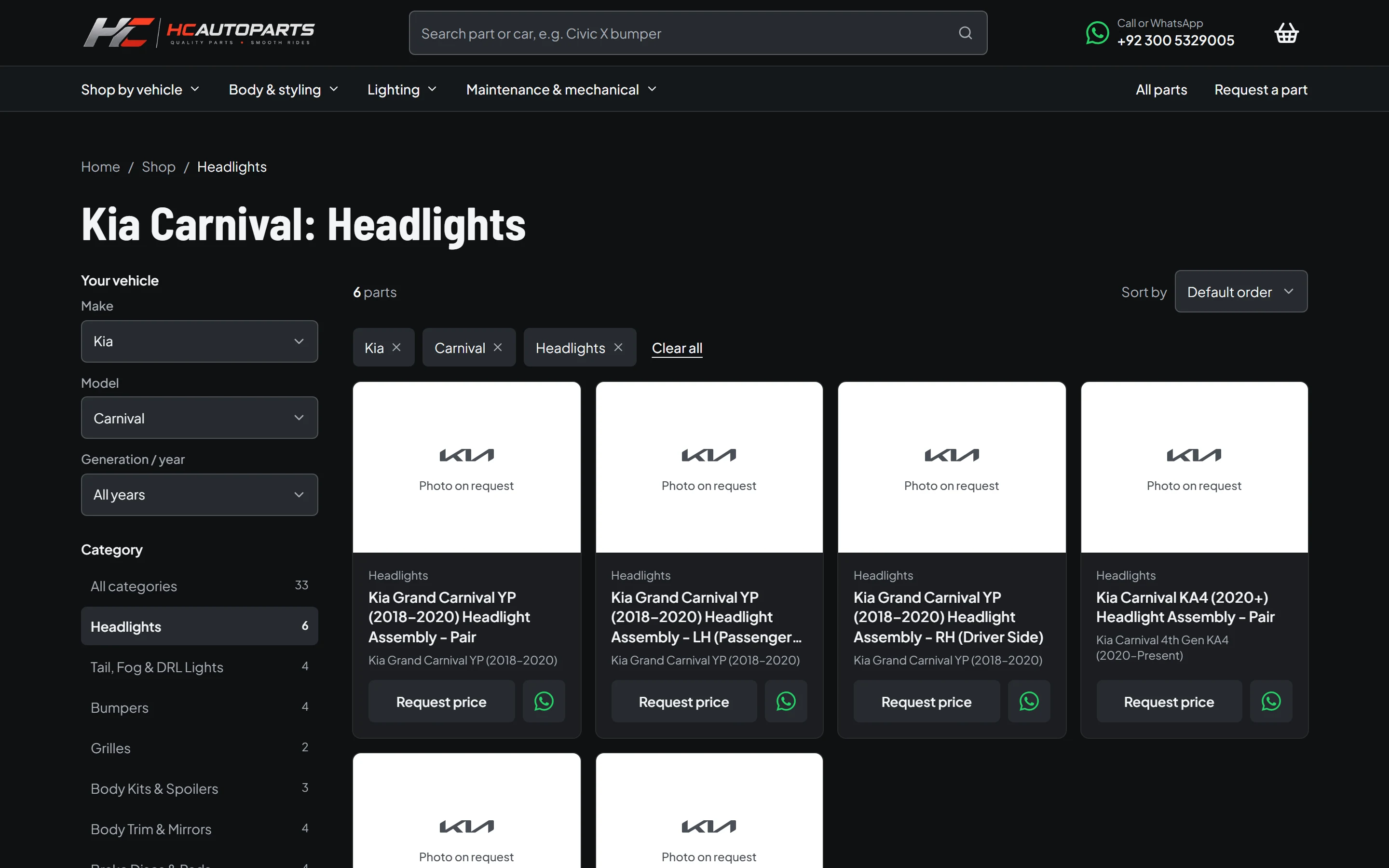
Vehicle first
Make, model and generation narrow the whole catalogue.
- 2
Filters you can see
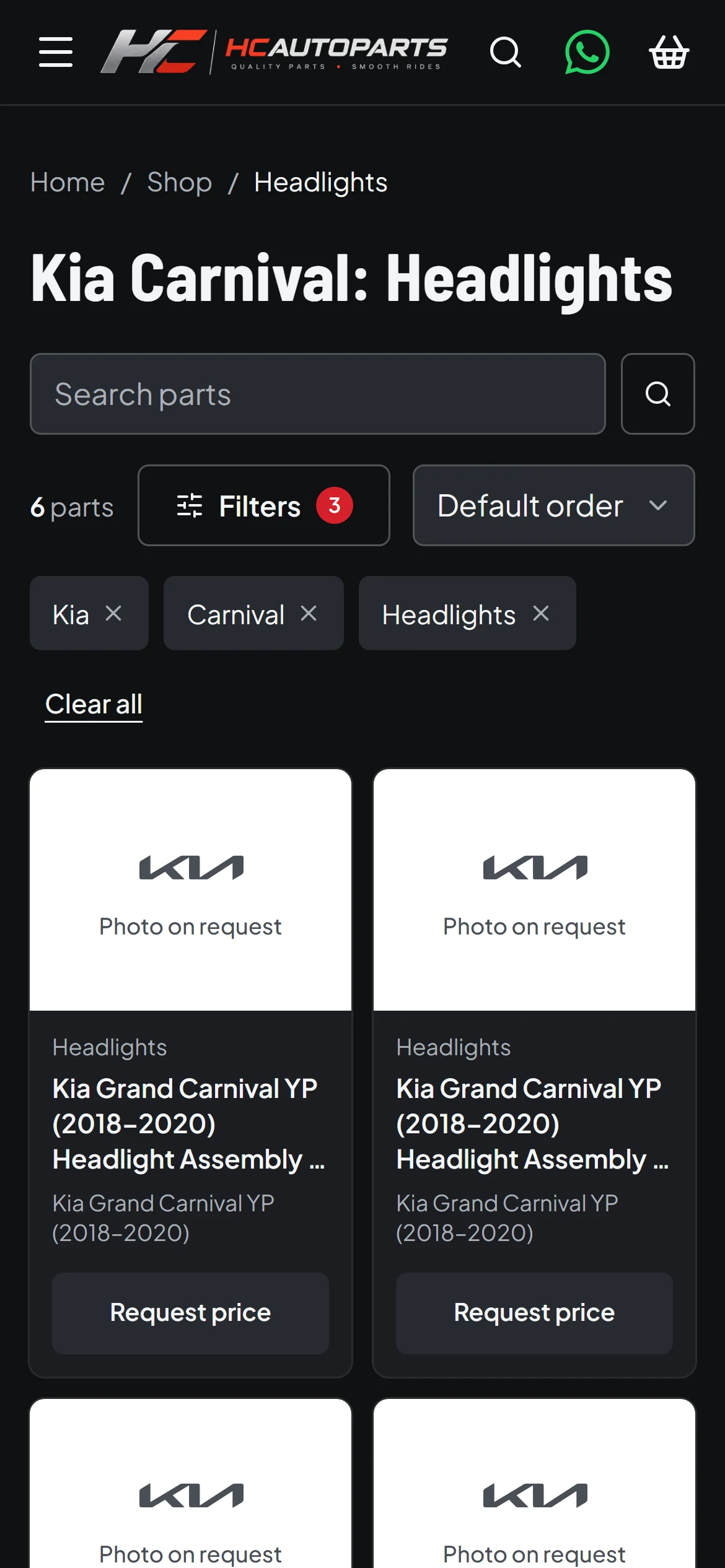
Each active filter is a chip that removes itself.
- 3
Counts before clicks
Categories show how many parts match the chosen car.
- 4
Two ways to act
Add to the quote list, or ask about that part on WhatsApp.
07
Quote workflow
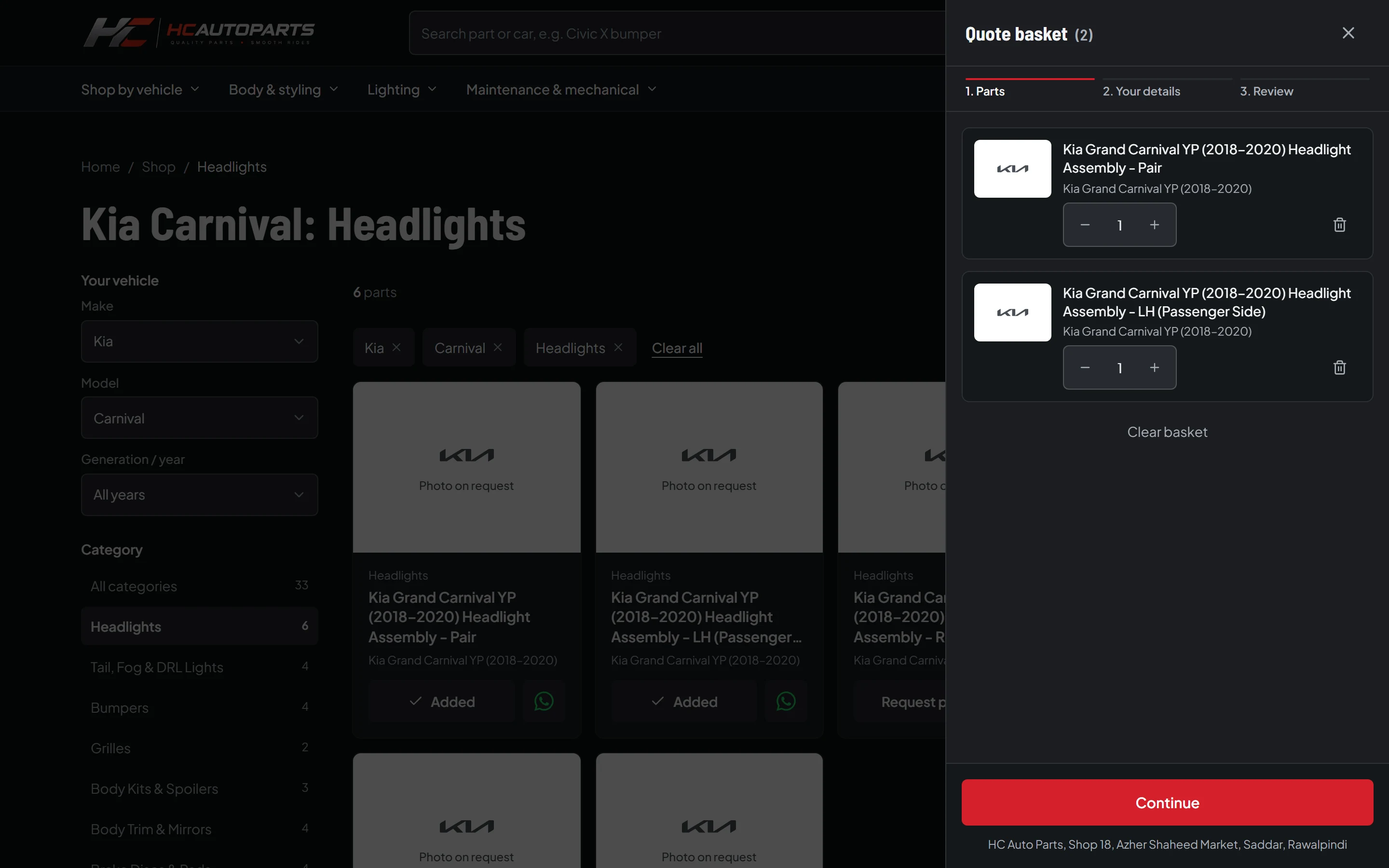
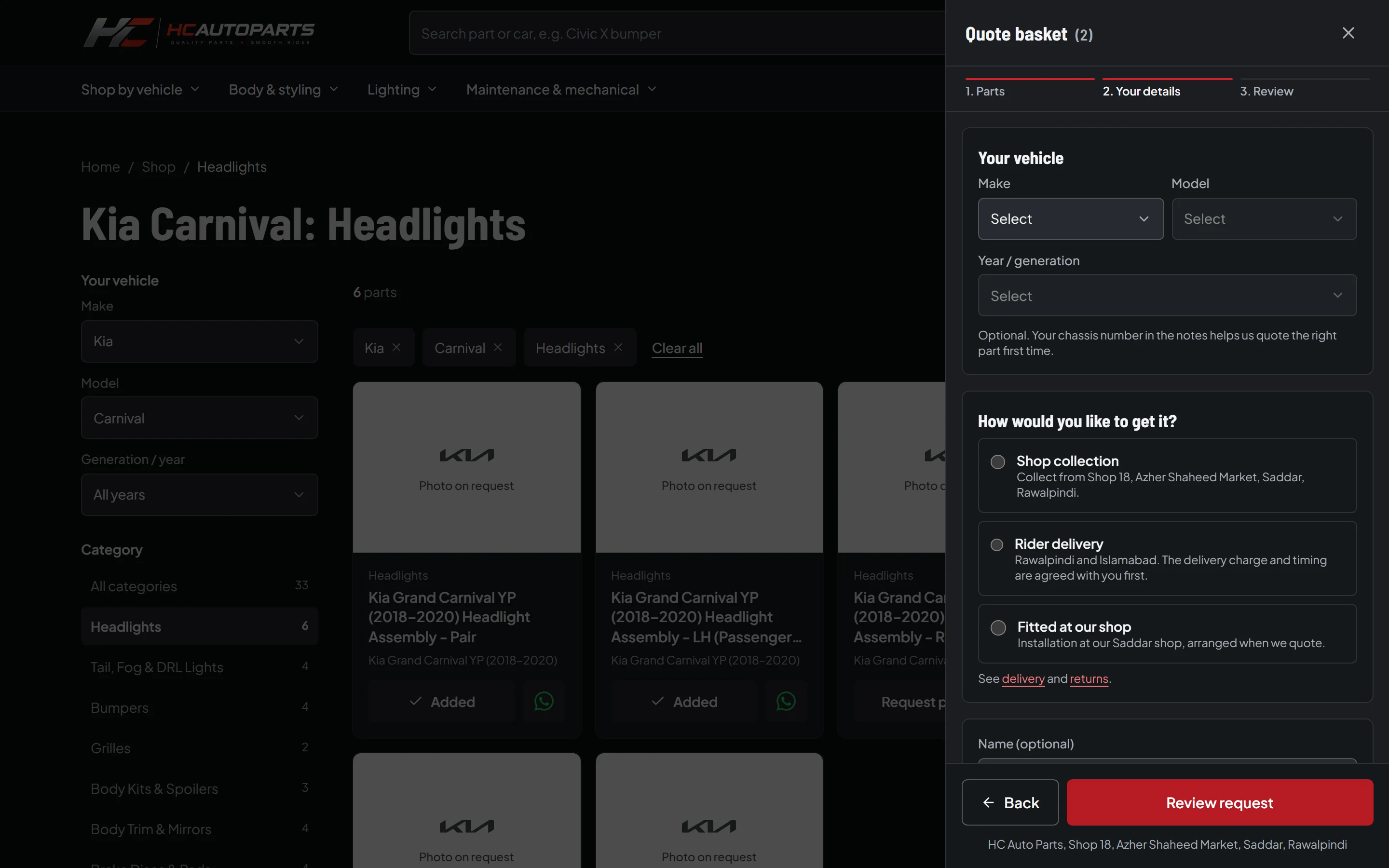
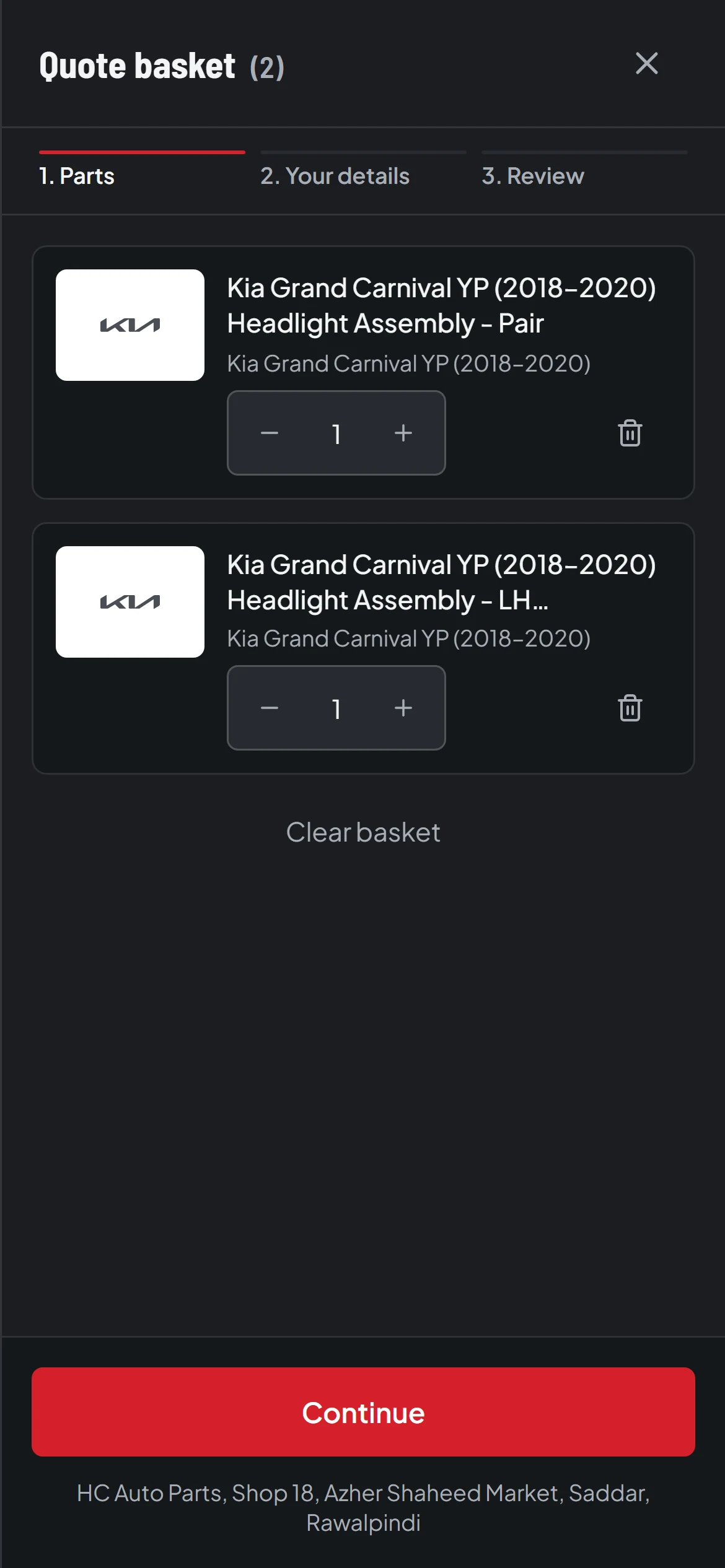
Instead of a cart and checkout, there is a quote basket. Parts collect as you browse, and the basket survives a page reload. Three short steps gather what the shop needs, and the result is a WhatsApp message written for you. You review it first, and nothing goes to the shop until you send it yourself.
Parts
Your details
Review
WhatsApp
- 1
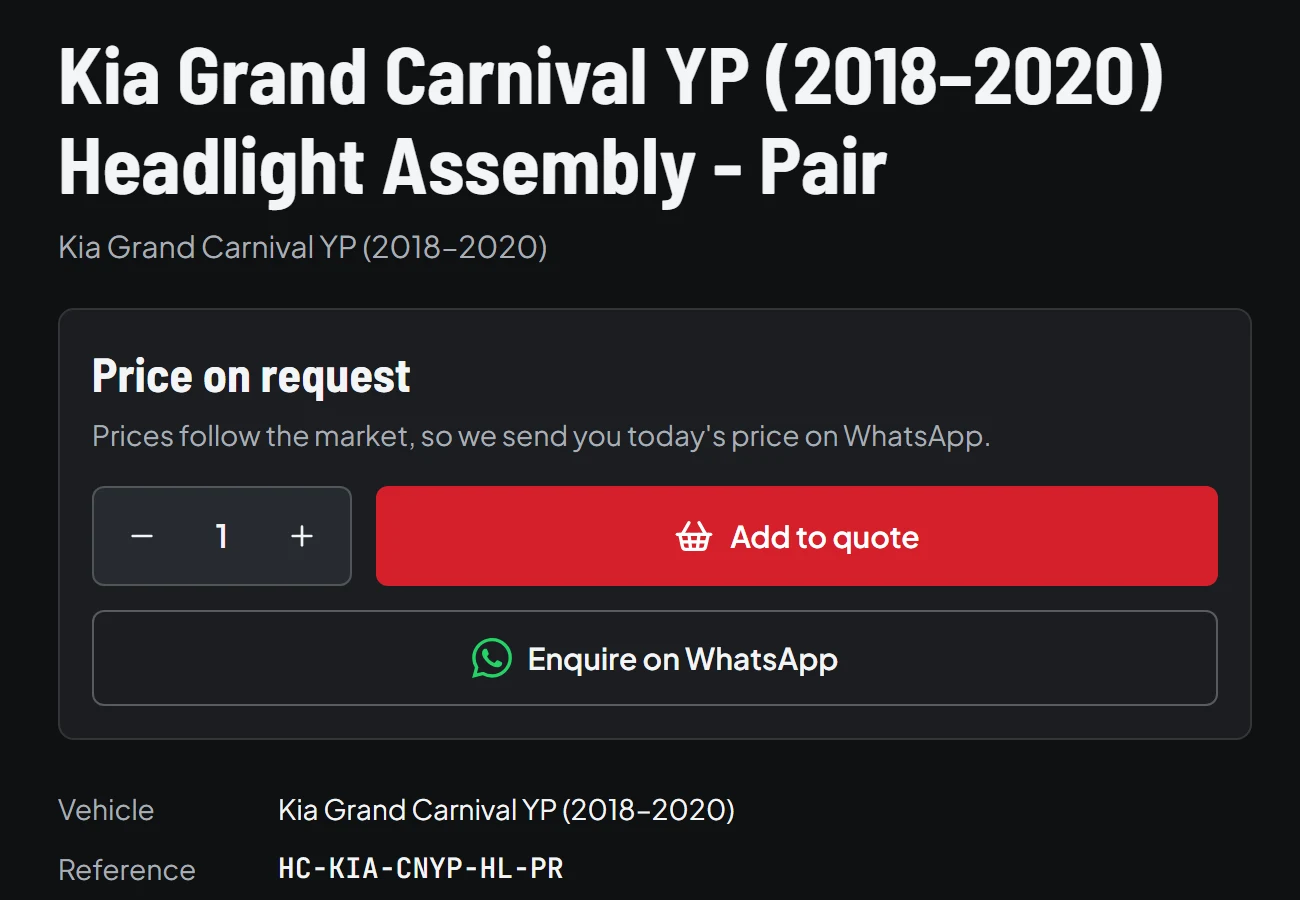
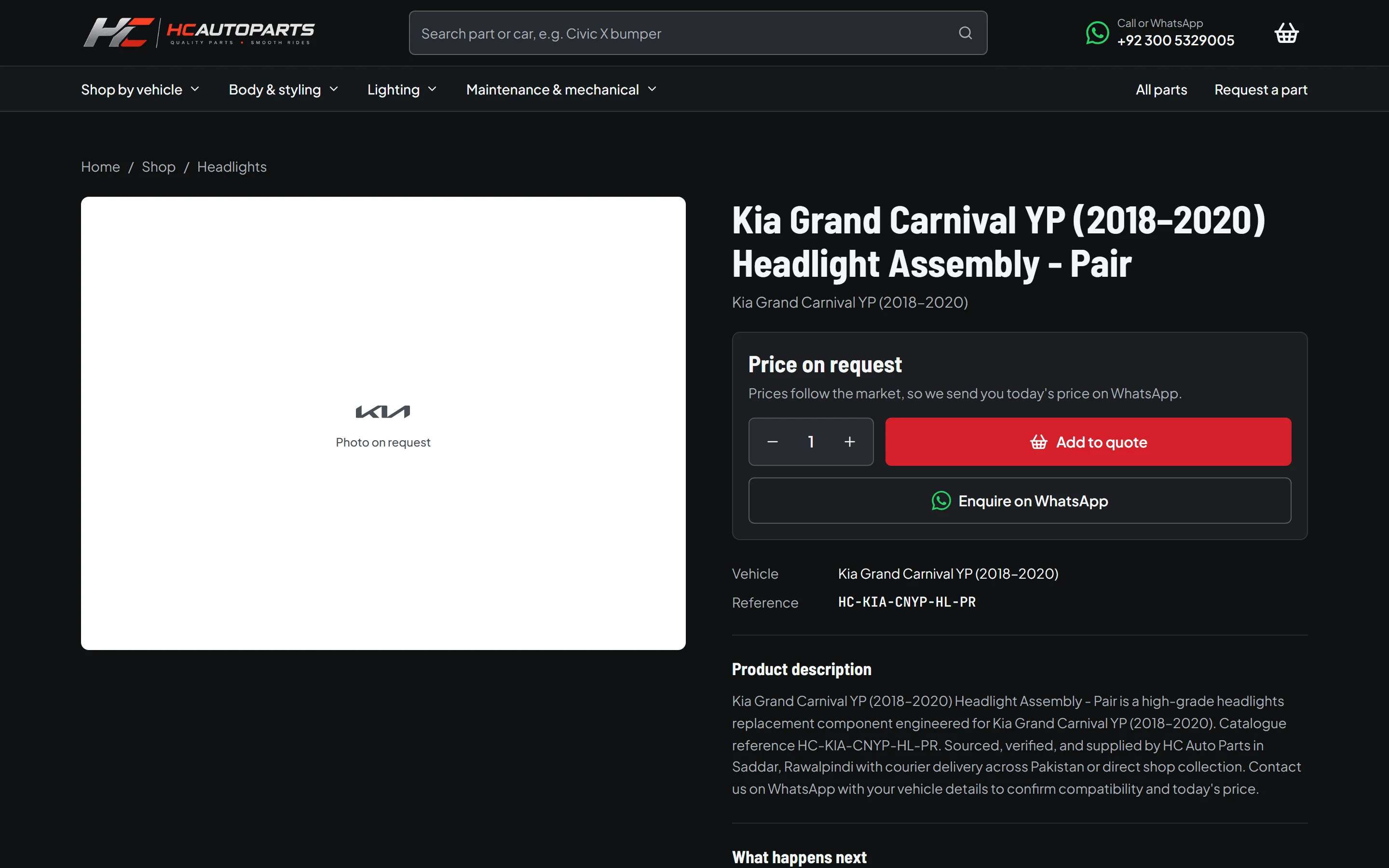
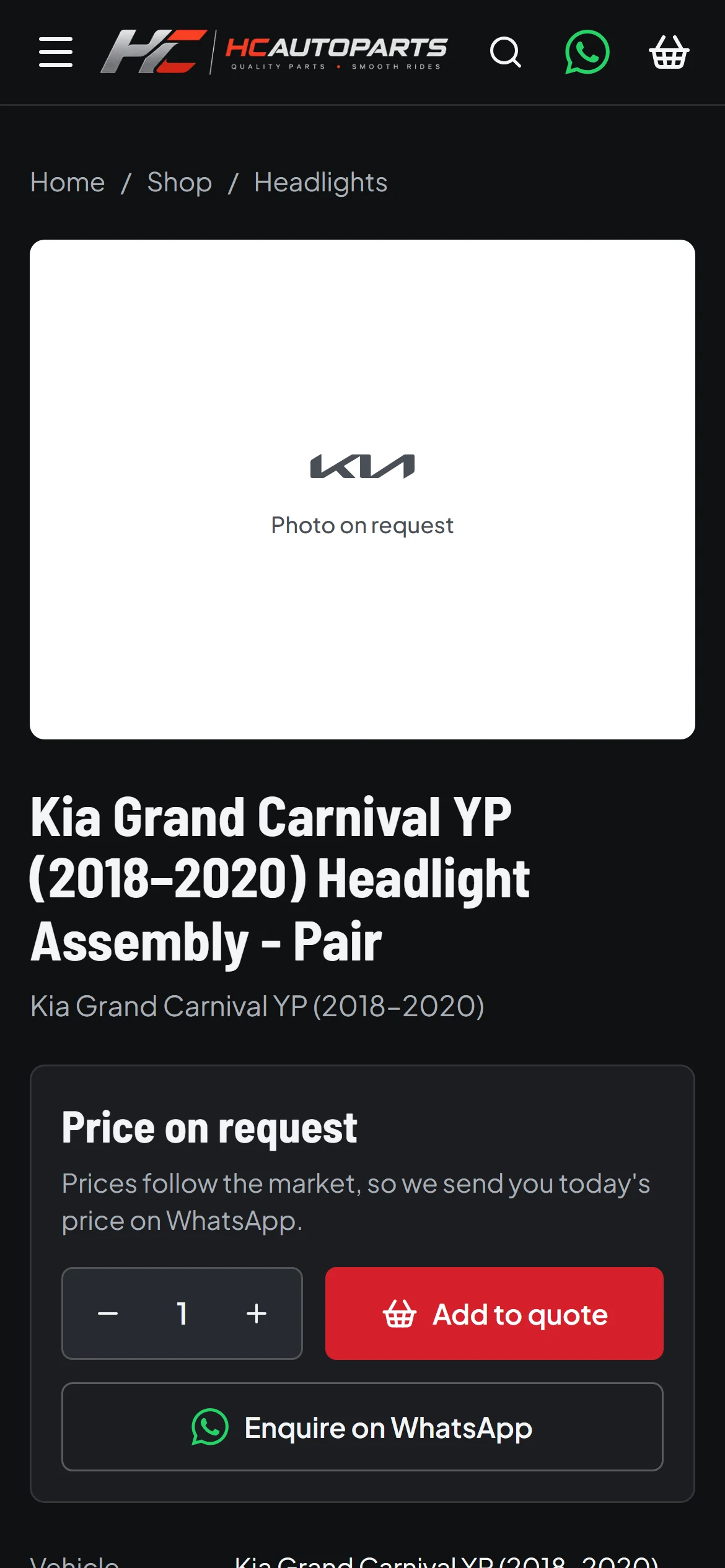
Price on request
The page explains why there's no price, and what happens instead.
- 2
Add to quote
Builds a list for one request, with the chosen quantity.
- 3
Enquire now
Goes straight to WhatsApp with the part already named.
- 4
Fit and reference
The vehicle and a reference number help the shop identify the part.
08
Responsive experience
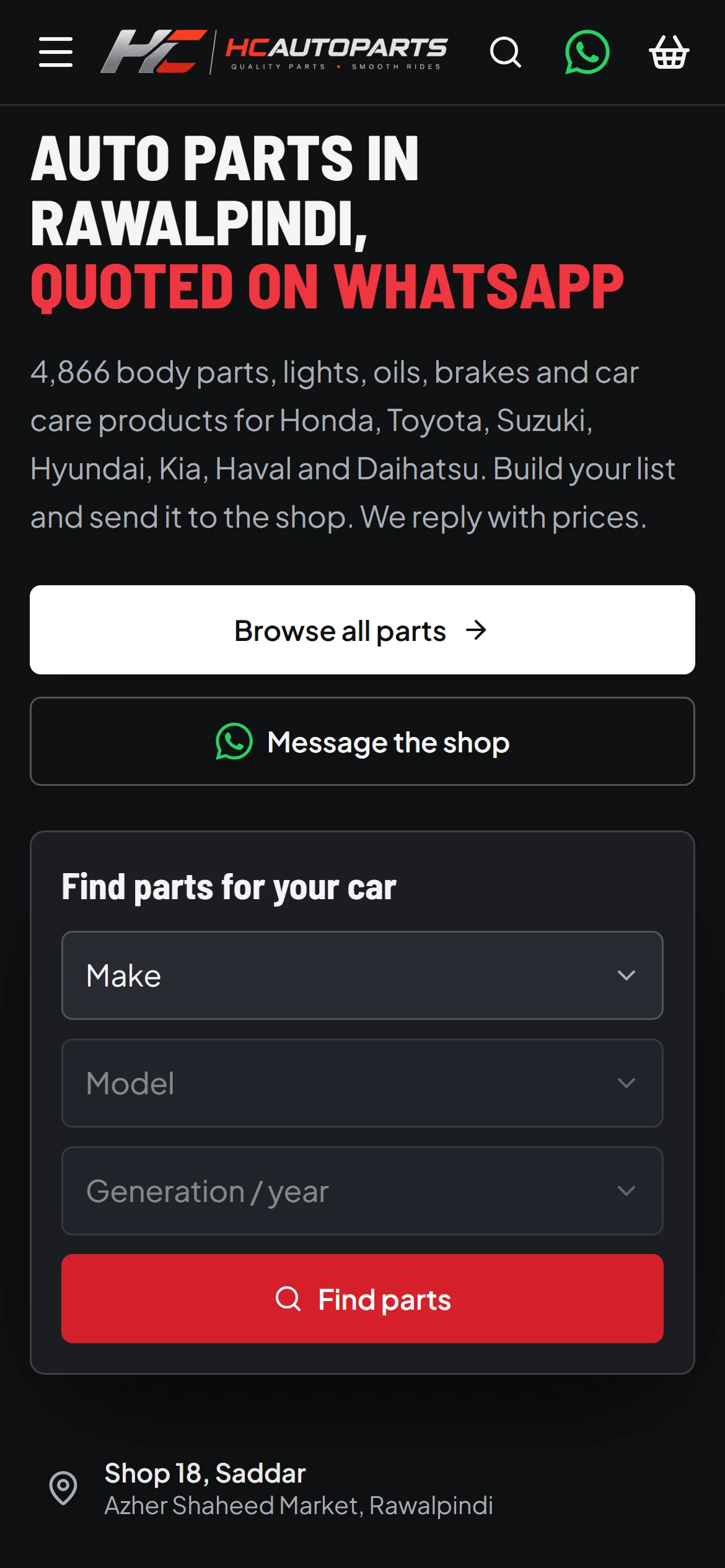
The phone layout was recomposed, not shrunk. The photo moves above the headline, filters collapse into a sheet, the product grid drops to two columns, and the quote basket takes over the full screen.
09
Engineering and implementation
- Next.js 15, App Router
- React 19, Tailwind CSS 4
- TypeScript
- Playwright, Node test runner
The shop is rendered on the server, so its pagination works with JavaScript switched off and search engines can crawl it. Filtered and searched pages stay out of search results; canonical pages go into the sitemap.
Product records stay on the server. Only the vehicle tree and categories reach the browser, and a build check enforces that, which keeps a large catalogue from turning into a large download.
Corrections to catalogue data live in a separate overlay rather than overwriting the source records, so they can be reviewed and re-applied.
10
Quality and testing
Each customer function, checked in a real browser.
Scripted checks walk through these functions on desktop and on a phone. They describe behaviour, and they are not a measure of business results.
Areas covered
A visual audit captured every main screen at four sizes, from 390 to 1440 pixels wide. Scripts checked all of them for overflow, broken images and console errors. A person reviewed a subset by eye.
That audit found real problems. Some product photos showed the wrong item, so they were held back: a wrong photo is worse than none, and those listings show a “Photo on request” tile instead. A floating button covered content at some widths, so it now only appears where there's room.
11
Project reflection
The most useful decision here was removing something: a conventional checkout would have looked more like a “real” store, and it would have been wrong for how this shop works.
The work isn't finished. Not every one of the catalogue's photos has been reviewed by a person, and that kind of data work continues after launch.
You'll notice this page has no conversion numbers, revenue figures or testimonial. We haven't measured the first two, and we won't publish the third until there is a real one to share.
Have something worth building?
Tell us what you're working on. We'll reply by email and, if it's a good fit, send a written scope and quote.
Start a project